MemoriesReplay
4.9
from 5,243 reviews

Bring Your Memories Back to Life From a Photo

After
Before
Before
After

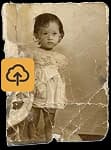
Bring life back to faded faces, old family photos, and moments you still hold close.

Bring My Memory Back

Here's How it Works

Upload your photo
1Upload your photo
Restore with AI
2Restore with AI
Save and share
3Save and share

The easiest way to bring your old photos back to life

No complicated apps, no editing skills, and no technical setup.

Save Old Photos

Repair fading, scratches, blur, and damage in treasured photos.

Send It to Family

Share the finished memory with the people who'll feel it most.

Make Memories Move

Turn one still photo into a gentle video you can watch again.

No Skills Needed

Upload your photo and follow a few simple steps. The hard part is choosing which memory to start with.

Private and Secure

A glimpse of what's possible

Every image you see here was once still. Now it moves.

BeforeBefore
AfterAfter
BeforeBefore
After
BeforeBefore
After

Thousands of families have restored old photos they thought were lost forever.

0+
Happy UsersFamily memories brought back from old albums
0+
Images RestoredFaded and damaged photos made clear again.
0%
Satisfaction RateRestored memories sparked smiles, tears, and stories.

Stories From Families Who Tried It

See why people use MemoriesReplay for the photos they can't replace

BeforeBefore
AfterAfter
BeforeBefore
AfterAfter

I uploaded a photo of my grandma from the 60s. Seeing her smile move a little made me cry. I know it's just a photo, but it felt like I got a tiny moment back.

Sarah M.

My dad passed before my kids were born. This gave them a way to see him as more than an old picture in a frame. That meant a lot to me.

James R.

Didn't expect much tbh. The photo was faded and kinda yellow, but the result came out so clear. My sister texted me "omg mom looks like mom again" 😭

Linda P.

The old photo of my parents had scratches across both faces. MemoriesReplay cleaned it up better than I thought possible. We printed the after version and framed it.

Robert K.

I sent the moving photo to our family group chat and everyone lost it. Aunties crying, cousins asking for copies, whole thing 😂

Nina S.

Simple to use. Uploaded the photo, waited a little, downloaded the video. No weird apps, no editing stuff. Exactly what I needed.

Michael T.

My favorite part is that it still looked like my dad. Some tools make faces look strange. This one kept his expression soft and real.

Claire B.

We had one photo of my grandmother holding me as a baby. It was blurry, bent, and very old. Now it feels like something I can actually show my children.

Elena W.

ngl I got emotional. I used a picture of my mom when she was young and the little movement in her face just got me.

Mark D.

I bought it for one photo. Then I spent the whole evening digging through old albums looking for more.

Grace H.

The before and after shocked me. The eyes, the skin, the tiny details in the clothes. It brought the whole photo back.

Anthony L.

My parents' wedding photo had water damage on one side. I thought it was ruined forever. The restored version looks beautiful, and the video made my mom smile so much ❤️

Priya N.

The motion was gentle, which I liked. It didn't feel fake or overdone. Just enough to make the memory feel alive again.

Thomas G.

I showed my grandpa the restored photo of his brother. He didn't say anything for a while, then asked me to play it again.

Rachel F.

Best thing I've done with our old family pictures. I wish I had found this sooner. Some memories are too important to leave in a box.

Olivia C.

Everything you might want to know — made simple.

Just follow three easy steps: 1. Upload a picture you love. 2. Pick a theme. 3. See your photo come to life and send it to family or friends. That's it! It takes less than two minutes.

You don't! MemoriesReplay works easily on any phone, tablet, or computer – just upload a photo and tap a few buttons. No tech skills needed.

You can use any photo – old or new. Family portraits, wedding pictures, pets, old houses, or even childhood photos – all can be brought back to life beautifully.

Of course! Many people use MemoriesReplay to surprise loved ones – for birthdays, anniversaries, or in memory of someone special. A moving photo often brings tears of joy.

No downloads or apps required. MemoriesReplay works right from your browser – on any computer, tablet, or smartphone.

Yes. Your photos and videos are private and secure. We never share them with anyone without your permission. Only you and the people you choose can see them.

Bring My Memory Back